
Septage and grease manifests
The septic manifest app that never smudges.
Every job in Outfall builds its own manifest: the generator, the hauler, the truck, the gallons, the waste type and the disposal site, plus the customer's signature. Share it as a PDF from the truck. No retyping, no carbon copies.
$19.99/mo. All in. Unlimited trucks. No Bull 💩 Unlimited users too, one price per company.
What goes on an Outfall manifest
A septic manifest (or septage manifest, depending on who you ask) tracks a load from the tank to the plant. Outfall fills it from data the driver already entered on the job, so the office never retypes a ticket.
| Section | Fields |
|---|---|
| Manifest | Manifest number, service date, status |
| Generator | Customer name, service address, county, phone |
| Hauler | Company name, hauler permit number, truck, plate, driver |
| Load | Gallons and waste type |
| Disposal | Disposal site name, address and permit number |
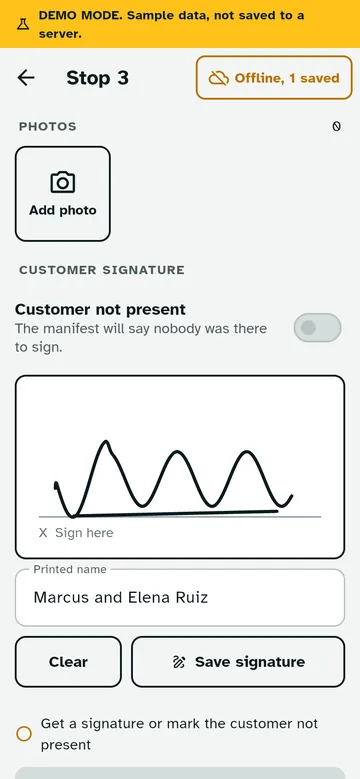
| Sign-off | Customer signature, or a note that the customer was not present |
Four waste types, one app
Pick the waste type on each manifest: domestic septage, grease trap waste, holding tank waste or portable toilet waste. Septic and grease crews use the same app, so a company that does both doesn't need two systems or two bills.
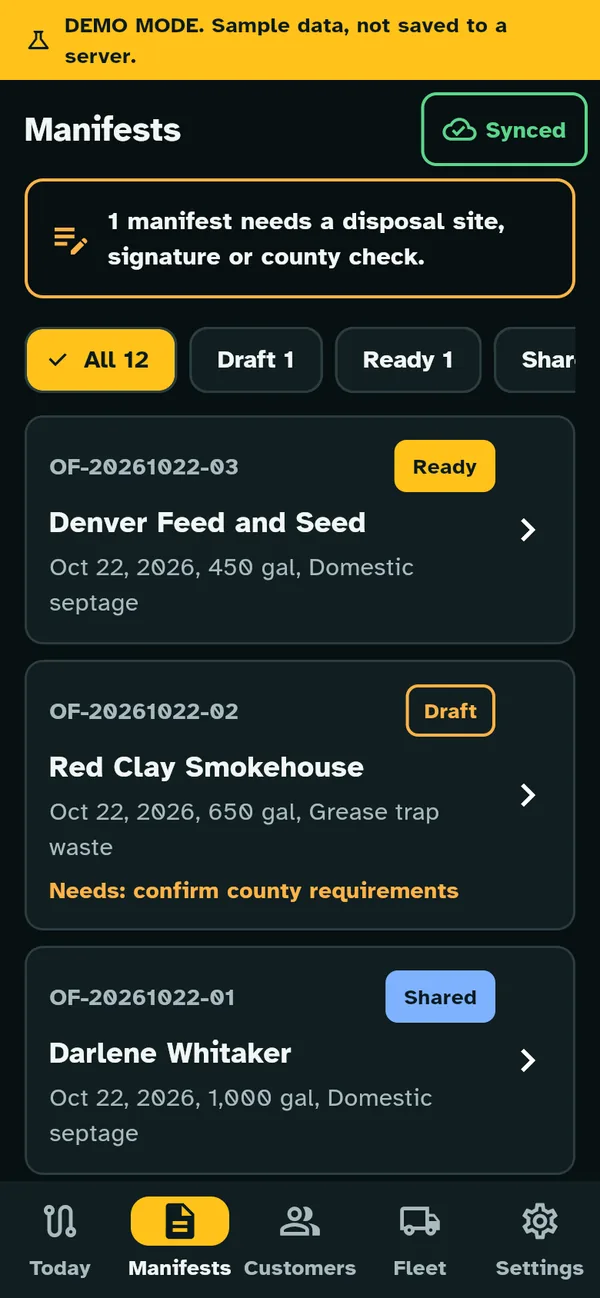
From draft to shared
Manifests move through four statuses: draft, ready, shared and submitted. You can see at a glance which loads still need paperwork. When a manifest is ready, share the PDF by text, email or any app on the phone.
Manifests are saved on the phone first, so drivers can finish one in a dead zone and it syncs later.
Edits leave a trail
Mistakes happen. When someone changes a completed job or manifest, Outfall logs who changed it, when, and what changed. You get a clean record without pretending nobody ever fixed a typo.
Manifests feed your compliance reports
The same jobs behind your manifests fill your state pumping log (presets for all 50 states, like Texas, Ohio or the NC septage pumping log), the annual permit renewal summary and grease trap service records. Enter it once at the truck and it shows up everywhere it needs to.
Does a manifest from an app count?
That depends on who's asking. Some plants, cities and states hand out their own forms. Outfall doesn't replace a form an agency requires, and it isn't approved by any agency. Check with your treatment plant and regulator. If they take a PDF with these fields, you're set. If they need their form, the Outfall manifest still gives you every number to copy onto it.
Manifest questions, signed and sealed.
Do I have to fill out the manifest separately?
No. It builds from the job: customer, tank, gallons, truck, driver and disposal site. Check it, then share it.
Can I print it?
Yes. It's a PDF, so print it from the phone or from any computer you send it to.
What if the customer isn't home?
Mark the customer not present, and the manifest says so instead of showing a signature.